AI Fatigue in Development: Why Constant AI Assistance Can Wear You Down


There’s a familiar pattern among developers who have spent any time with AI-assisted tools: initial curiosity, followed by a period of regular use, and then — surprisingly — weariness. Many engineers report a sense of exhaustion, irritation, or even dread at the idea of interacting with AI daily. For teams that expected AI to save time and reduce toil, this is a disorienting experience.
It’s not that the tools are inherently bad. It’s that interacting with AI changes how developers think, work, and maintain focus — and those changes can be draining in subtle ways that traditional productivity metrics don’t capture.
In this article, we’ll unpack what AI fatigue looks like in software development, why it arises, how it affects individuals and teams, and what organisations can do to understand and mitigate it.
What Developers Are Describing When They Talk About AI Fatigue
The Reddit thread that inspired this article is filled with voices that don’t sound like technophobia or fear of innovation. They sound like tired people trying to do good work. Comments reflect experiences such as:
-
Feeling mentally taxed after long sessions with AI suggestions.
-
Getting distracted by repeated back-and-forth interactions with tools.
-
Spending more time reviewing AI output than writing code.
-
Noticing an emotional resistance to opening an IDE with AI enabled.
These aren’t trivial inconveniences. They are real psychological and cognitive experiences that reflect a deeper shift in how development work is performed.
AI fatigue isn’t simply “AI is annoying.” It is the accumulation of small frictions, interruptions, and cognitive costs that eventually exhaust a developer’s attention, patience, and capacity for deep thought.
Why AI Can Be Mentally Exhausting
To understand AI fatigue, we need to look at how AI assistance intersects with core aspects of engineering cognition.
1. The False Ease of Shallow Interactions
AI tools are great at offering quick fixes: a code snippet, a test suggestion, a refactor idea. Those quick wins are satisfying at first. But over time, these shallow interactions can condition developers to interrupt their focus frequently, even when deep thinking is required.
Instead of sustained concentration on a complex design problem, engineers find themselves oscillating between thought and short bursts of AI interaction. That creates:
-
Frequent context switches
-
Lower thresholds for distraction
-
A scattered sense of workflow
The cognitive cost of switching attention repeatedly, even for “helpful” suggestions, adds up.
2. The Burden of Verification and Correction
AI-generated code files rarely come out perfect. Even when the suggestions seem good, developers must verify correctness, check for edge cases, ensure style conformity, and confirm alignment with domain logic.
Where once the mental effort was invested in solving the core problem, it now includes:
-
Evaluating AI output for accuracy
-
Uncovering hidden assumptions
-
Fixing subtle logic mistakes introduced by the tool
That is mentally taxing in a different way than writing original code — and it’s less rewarding too, because the feedback loops are slower and more critical.
3. Tactical Focus Replaces Strategic Thought
One of the most telling effects described by developers is a shift from big-picture thinking to incremental tactical work. When AI tools are available, even experienced engineers can fall into a mode where they spend more time iterating on AI suggestions than thinking about architecture, design, or long-term implications.
This incremental focus is exhausting over weeks and months because it keeps developers in a reactive mindset rather than a reflective one.
4. Interaction Fatigue — The “Chat Loop” Effect
Many modern AI tools are conversational. You ask a question, the model responds, you refine the prompt, it responds again. This loop feels productive initially, but it can quickly become a feedback loop of repetition that doesn’t feel like actual progress.
Consider this pattern:
-
You prompt for a fix
-
You realise the suggestion is off
-
You re-prompt with more context
-
You repeat
Each turn feels like work, but none of it feels like solving — it feels like managing the tool. Over time, that creates what users describe as interaction fatigue.
AI Fatigue and the Loss of Flow
Flow — that deep state of concentration where hours pass unnoticed — is one of the most cherished experiences in software development. Many engineers describe it as the reason they enjoy their work.
AI-assisted workflows introduce tiny, repeated interruptions: prompt, response, verify, correct. Each interruption breaks momentum, pulling attention away from sustained thought.
Flow isn’t just about quiet. It’s about continuity of thought. Constant AI interaction — even well-intentioned and efficient — short-circuits that continuity.
When AI Usage Feels Like Work Instead of Help
A crucial turning point for many developers is when the tool stops feeling like assistance and starts feeling like another chore. That’s when AI fatigue emerges most clearly:
-
“I spend more time undoing suggestions than writing code.”
-
“I dread opening my editor because I know I’ll have to tutor the AI.”
-
“The tool slows me down in areas I used to be faster.”
These sentiments aren’t resistance to AI itself. They reflect a mismatch between tool behaviour and cognitive experience.
Why Metrics Don’t Capture AI Fatigue
Traditional engineering metrics — cycle time, commit count, throughput — simply cannot capture this kind of fatigue. Those numbers might improve even as developers feel more exhausted.
That’s because AI fatigue affects qualitative experience: focus, satisfaction, frustration, mental effort, and emotional reaction. These are measurable only through experience metrics — surveys, flow interruption counts, cognitive load assessments, and qualitative feedback.
Without those, teams may think AI is helping because the numbers look good, even as the people feel worse.
Practical Strategies to Detect and Address AI Fatigue
Organisations that want to adopt AI responsibly must treat developer experience as a first-class signal. Here are strategies that help:
1. Regular Pulse Surveys on AI Experience
Ask developers:
-
How mentally exhausting do AI interactions feel?
-
How often do you verify or reject AI suggestions?
-
Do AI prompts interrupt your focus?
These insights must be anonymised and team-aggregated to protect psychological safety.
2. Measure Interaction vs Output
Track not just what AI is used for, but how developers interact with it:
-
Number of AI query iterations per task
-
Ratio of accepted to modified suggestions
-
Time spent in “chat loops”
High interaction with low net output is a sign of fatigue.
3. Focus on Flow Metrics
Tools like time-in-state, interruptions per hour, or uninterrupted focus blocks can indicate whether AI is helping or harming deep work.
If flow blocks shrink or fragmentation increases after AI adoption, that’s a red flag.
4. Tailor AI Use Cases — Don’t Default to Autopilot
AI is often most beneficial for:
-
Boilerplate generation
-
Initial scaffolding
-
Test generation, where context is limited
When used for high-complexity, domain-specific thinking work, the cognitive cost often outweighs the benefit. Teams should define when AI is a good fit — instead of making it ubiquitous.
Reframing Expectations: AI as “Assistant,” Not “Autopilot”
Part of AI fatigue comes from the illusion of autonomy: that AI should just get it right. When tools fail to deliver, frustration grows.
A healthier framing is:
AI is an assistant that helps explore options, not a substitute for deep thinking.
This reframes the role of AI from a source of solutions to a partner in exploration, which reduces pressure on developers to constantly correct or tutor the model.
Fatigue Is Not a Sign of Weakness — It’s a Signal
When developers talk about being tired of working with AI, they are not irrational. They are signalling that the way the tools integrate into the workflow undermines cognitive satisfaction and focus. Just as organisations measure throughput, quality, and reliability, they must also measure developer experience — especially in an era where AI is present in every coding session.
AI tools can enhance individual productivity, but they also change the shape of work in ways that are not always beneficial. Developers are not machines — their cognitive resources, emotional bandwidth, and capacity for deep thinking are limited. When assistance tools interrupt focus, increase verification costs, and create interaction loops that don’t feel like real progress, the result is fatigue.
If organisations want to adopt AI responsibly, they must broaden their measurement beyond throughput and error rates to include experience signals, interaction quality, and cognitive impact. Only then can AI move from a source of exhaustion to an actual partner in development.

Optimize with ZEN's Expertise
Upgrade your development process or let ZEN craft a subsystem that sets the standard.
AI engineering
Use AI where it genuinely helps, with accountability staying with people.
Read more:
In 1988 a student took down a tenth of the internet. What did we do next?
In November 1988 a student at Cornell wrote a small program to count how many computers were on the internet. A bug took...
My AI Agent Works Through the Night. It Just Can't Decide Anything.
Since August, an agent runs every weekday at half past seven, reads our open merge requests and forms an opinion on each...

What you're missing with AI agents is rarely a tool
I have been running several AI agents side by side for months. After five hours of DHH on programming with agents, my to...
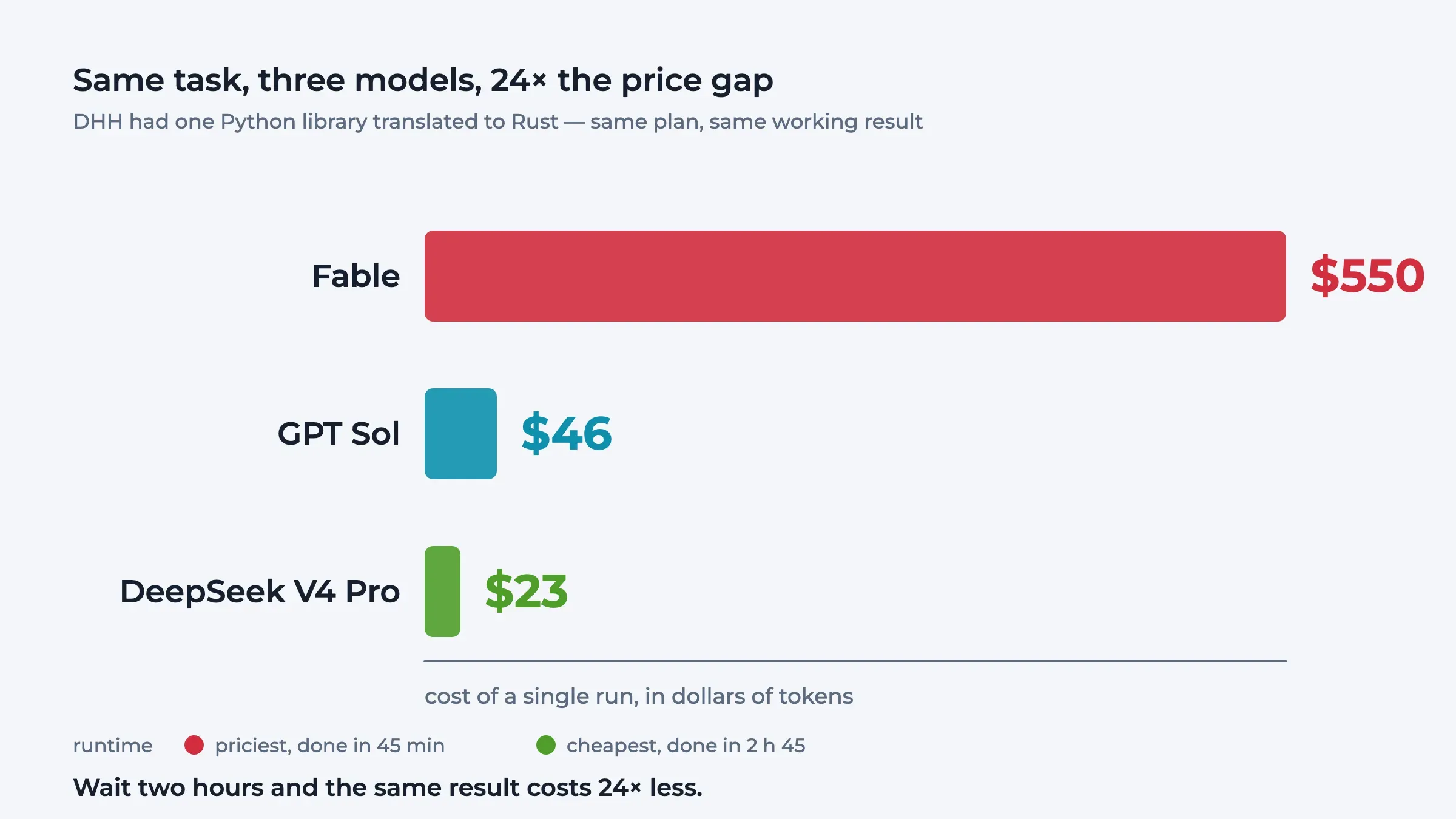
The creator of Ruby on Rails doesn't write code any more
The creator of Ruby on Rails no longer writes a line of code himself and drives sixteen agents at once. From five hours ...
AI Vampires: The Hidden Price of Twenty Agents
On Joe Rogan, Marc Andreessen describes a new kind of programmer: one who stops sleeping because twenty agents are waiti...
Bug Fixing in the Age of AI: How to Use Coding Agents Without Turning Your Codebase Into Spaghetti
Bug fixing has changed. Not because bugs are different. They’re still null references, race conditions, broken assumpti...