Backstage developer portal

One portal for your teams, services and operations

ZEN sets up and runs Backstage for you, so ownership, components, API docs and what is happening in production all sit in one place.

Backstage catalogue with 34 components, each row showing its system, owner, type, lifecycle and tags

Screenshots show sample data.

Sound familiar?

Who actually owns this?

Nobody is quite sure who looks after a service. It lives in last year’s spreadsheet, or in the head of someone who has just gone on holiday.

Components, API specs and documentation are spread across repositories, wikis and links pinned in chat channels.

When something breaks or the cloud bill creeps up, working out who it belongs to takes longer than fixing it.

One central catalogue

Everything your teams run, in one list

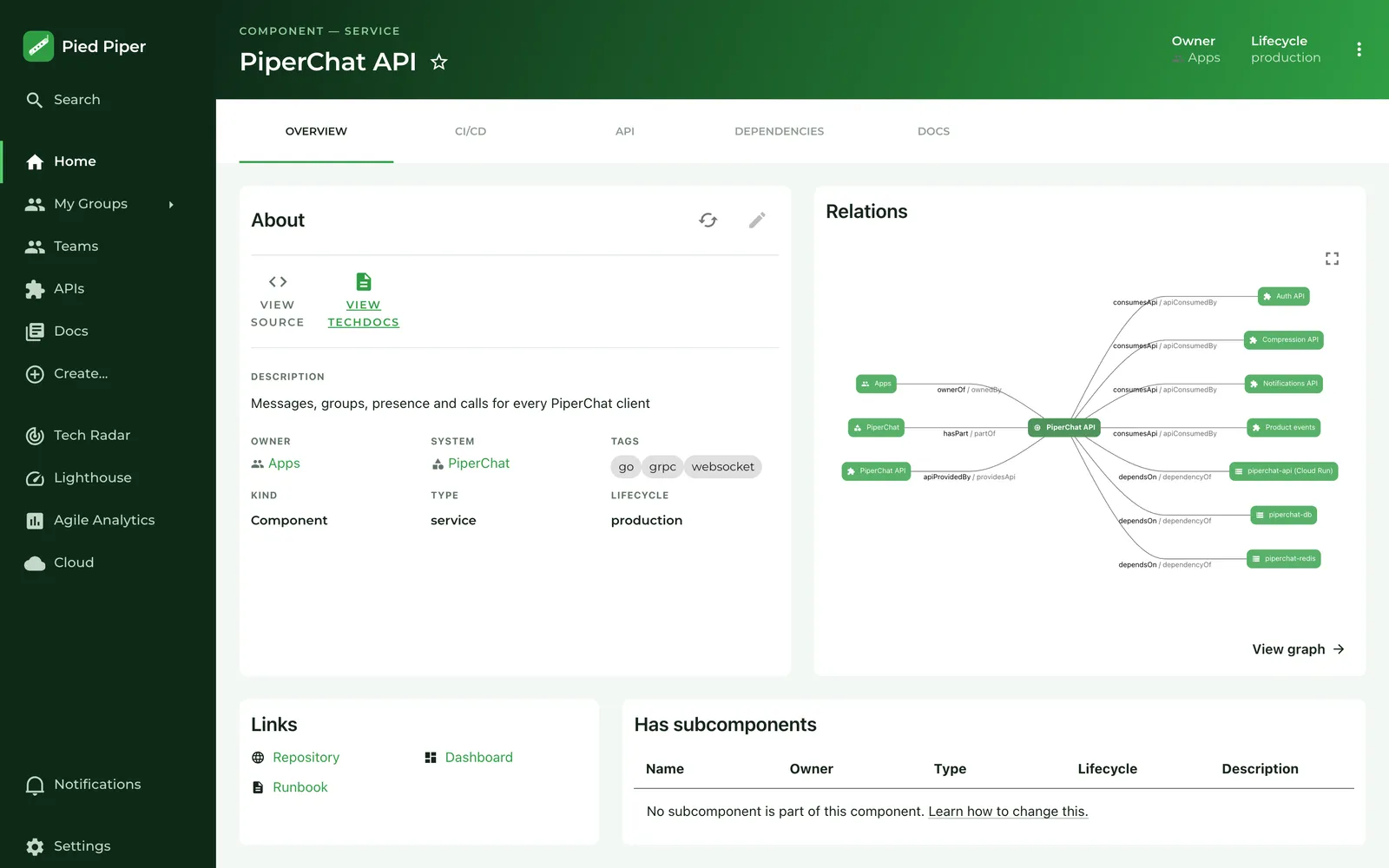
Components, systems, resources and APIs live in one searchable catalogue, with a page of their own.

  • For every item: owner, system, type, lifecycle and tags
  • A service page shows what it depends on and which APIs it uses
  • The catalogue is filled from your repositories (catalog-info.yaml), so it keeps up with the code
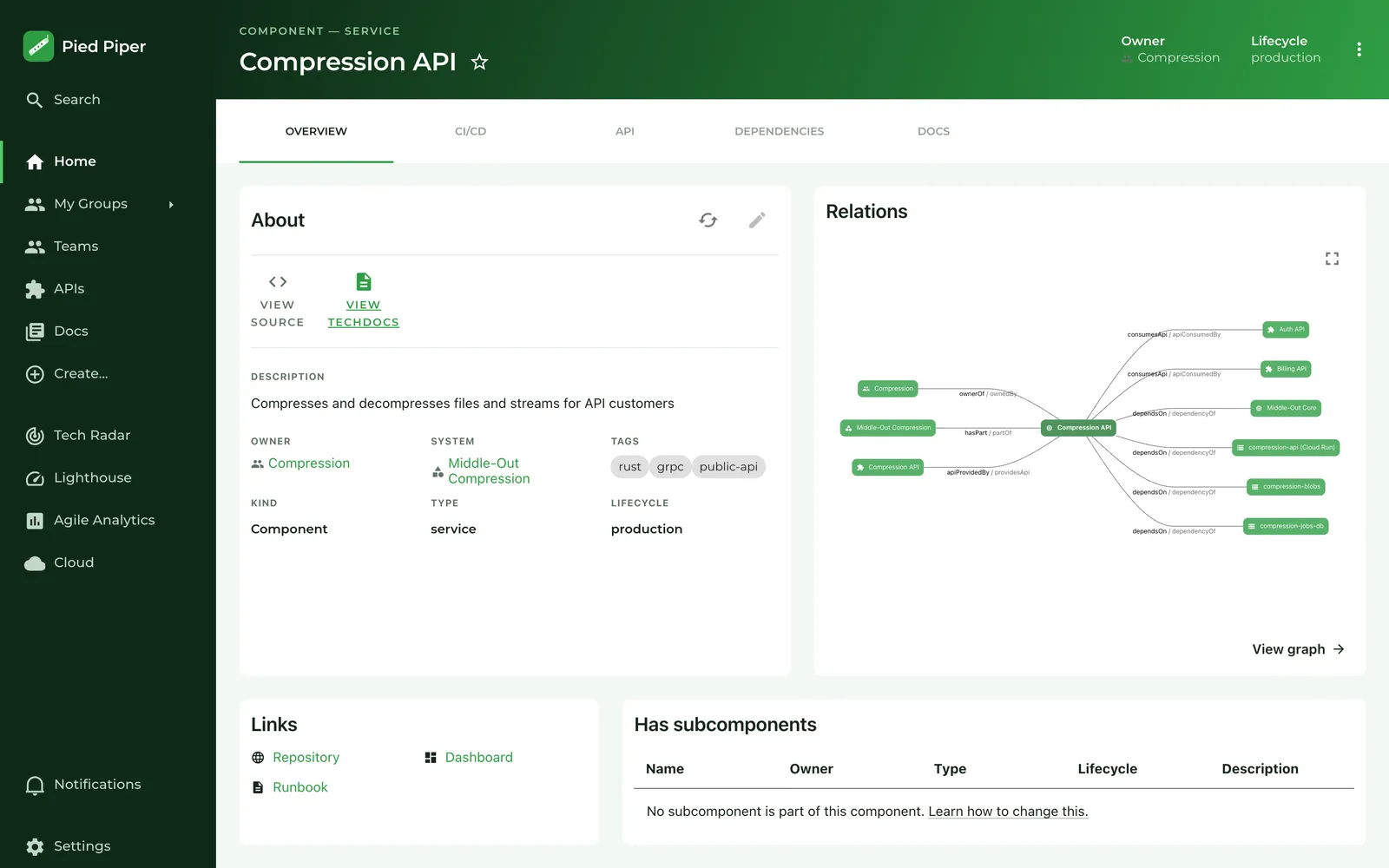
The Compression API page in Backstage: owner Compression, system Middle-Out Compression, lifecycle production and a relations graph of APIs and resources

Screenshots show sample data.

Ownership and team structure

Every part has a team behind it

Backstage asks for an owner on everything in the catalogue. A team’s page shows what it looks after, and the organisation’s page shows how the teams fit together.

  • Per team: how many services, libraries, resources and systems it owns
  • The organisation and its teams, with each team’s repositories and services and their lifecycle
  • Teams and ownership live as code in Git, with review and history, so they never depend on one person
  • Anything without an owner stands out, because the field stays empty
The Compression team page in Backstage: tiles showing what it owns (4 libraries, 3 Cloud Run resources, 2 services) and a table of repositories and services
A team and what it owns
The Pied Piper organisation page in Backstage with the teams Apps, Compression, Data, Growth, Leadership, PiperNet and Platform
The organisation and its teams

Screenshots show sample data.

API documentation and TechDocs

The API and its docs sit next to the service

An API is in the catalogue with its specification, alongside the service that provides it. Technical docs live in the repository and open from the same service page.

  • OpenAPI specification with its endpoints, readable right in the portal
  • Markdown documentation next to the code, with contents and search
OpenAPI definition of the Pied Piper Compression API in Backstage with the endpoints compress, decompress, jobs and usage
API specification
The Docs tab on the Middle-Out Core page: technical documentation with contents and search
TechDocs on the component

Screenshots show sample data.
Operations: what is happening now

Errors, services and spend beside your catalogue

Three pages in the same portal show what is going on in production right now. Every signal carries its project and its team, so you never have to hunt for the owner.

Error reporting

The errors from Google Cloud Error Reporting, per project and across all of them.

  • Open and new errors per project, with occurrences and when they last happened
  • For each error the file, the service and its status: open, acknowledged, resolved or muted
  • The owning team next to every project
Error Reporting in Backstage: open and new errors per project, then errors such as TokenExpiredError with service, status and occurrences

Screenshots show sample data.

Cloud Run

Traffic, server errors, latency and resources for every Cloud Run service, plus the scheduled jobs in each Google Cloud project.

  • A list of what needs attention, and why: high CPU, slow responses, 5xx or a revision that never became ready
  • A tab per service with status, revision and charts for requests, latency, instances and CPU
  • The owner at the top of the service page
Cloud overview in Backstage: services, jobs, requests and 5xx per project, and a Needs attention list with warnings such as CPU at 93%

Screenshots show sample data.

FinOps

What Google Cloud costs you this month, against the same point last month, from the Cloud Billing export.

  • Spend so far, the forecast for the month and the change on last month
  • Cost per project, its change and the team it belongs to
  • Recommendations from Google Cloud Recommender and jumps in spend, with what they are worth per month
FinOps in Backstage: spend this month, forecast and last month, a spend chart and a table of cost per project and team

Screenshots show sample data.

From signal to owner

No more working out who to call

Every signal hangs off an item in the catalogue, and every item off a team.

  1. Signal

    an error, a Cloud Run warning or a jump in spend

  2. Service

    its page in the catalogue

  3. Team

    owner and contact

  4. Docs

    runbook and TechDocs

Plugin

Agile Analytics in the same portal

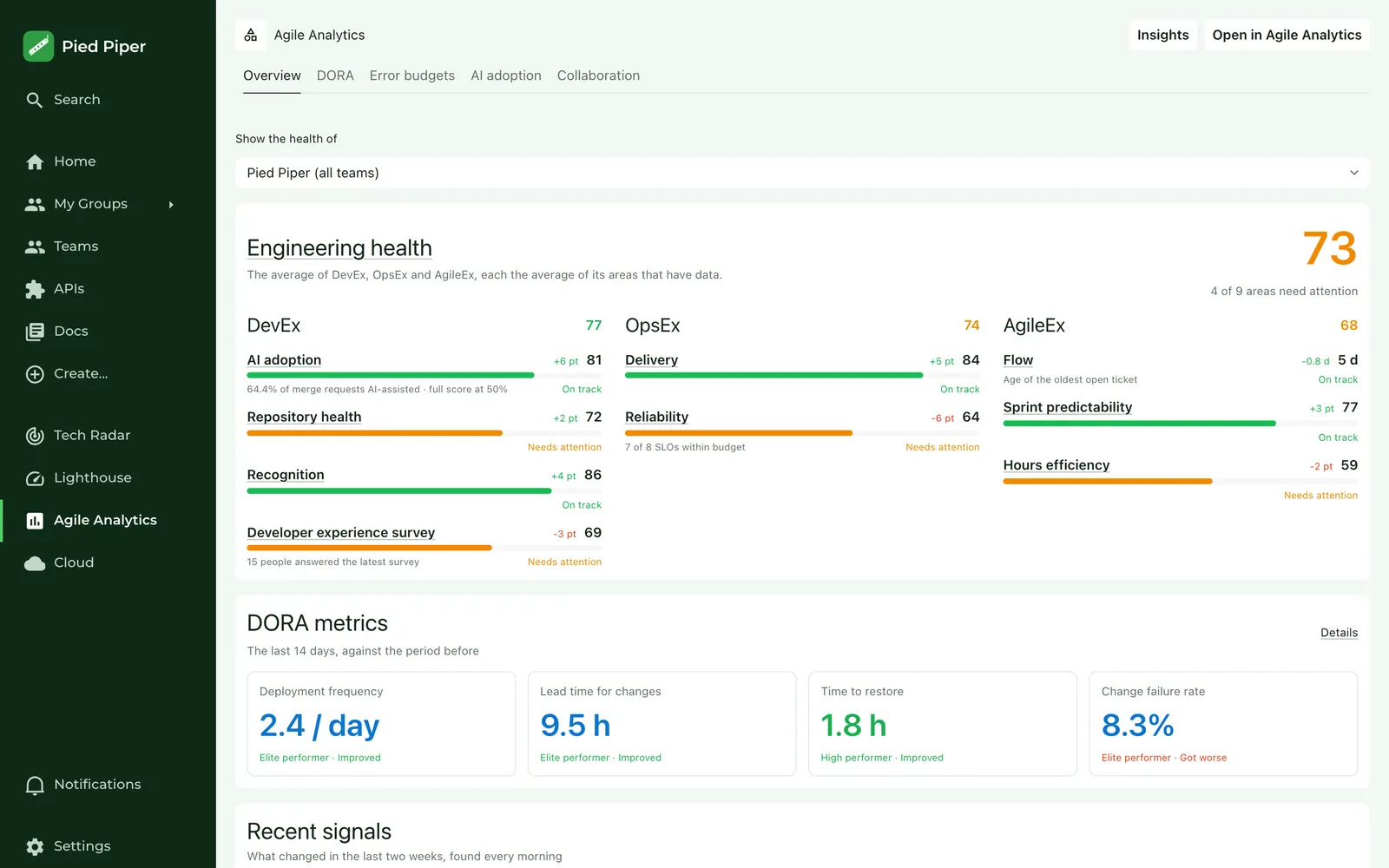
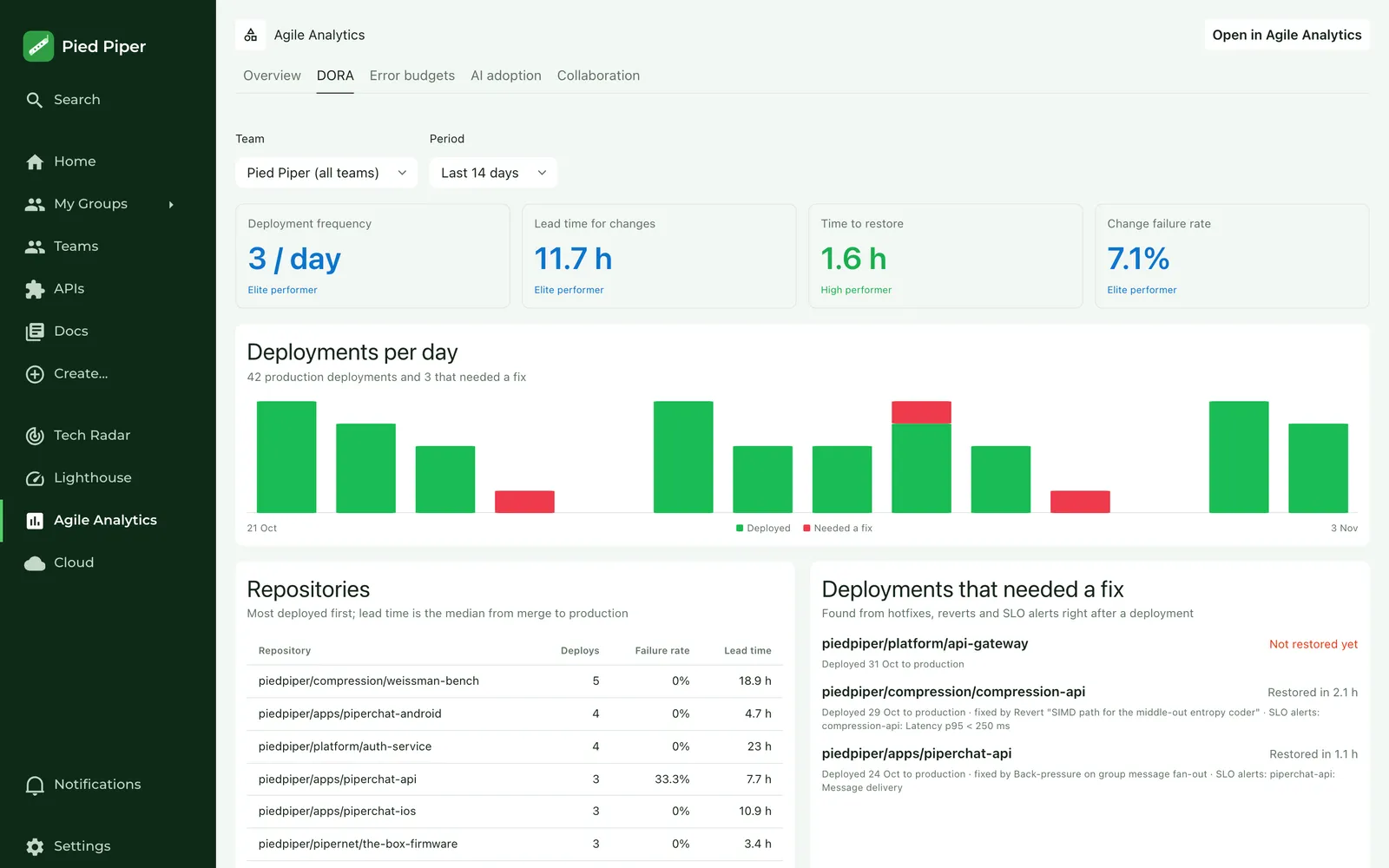
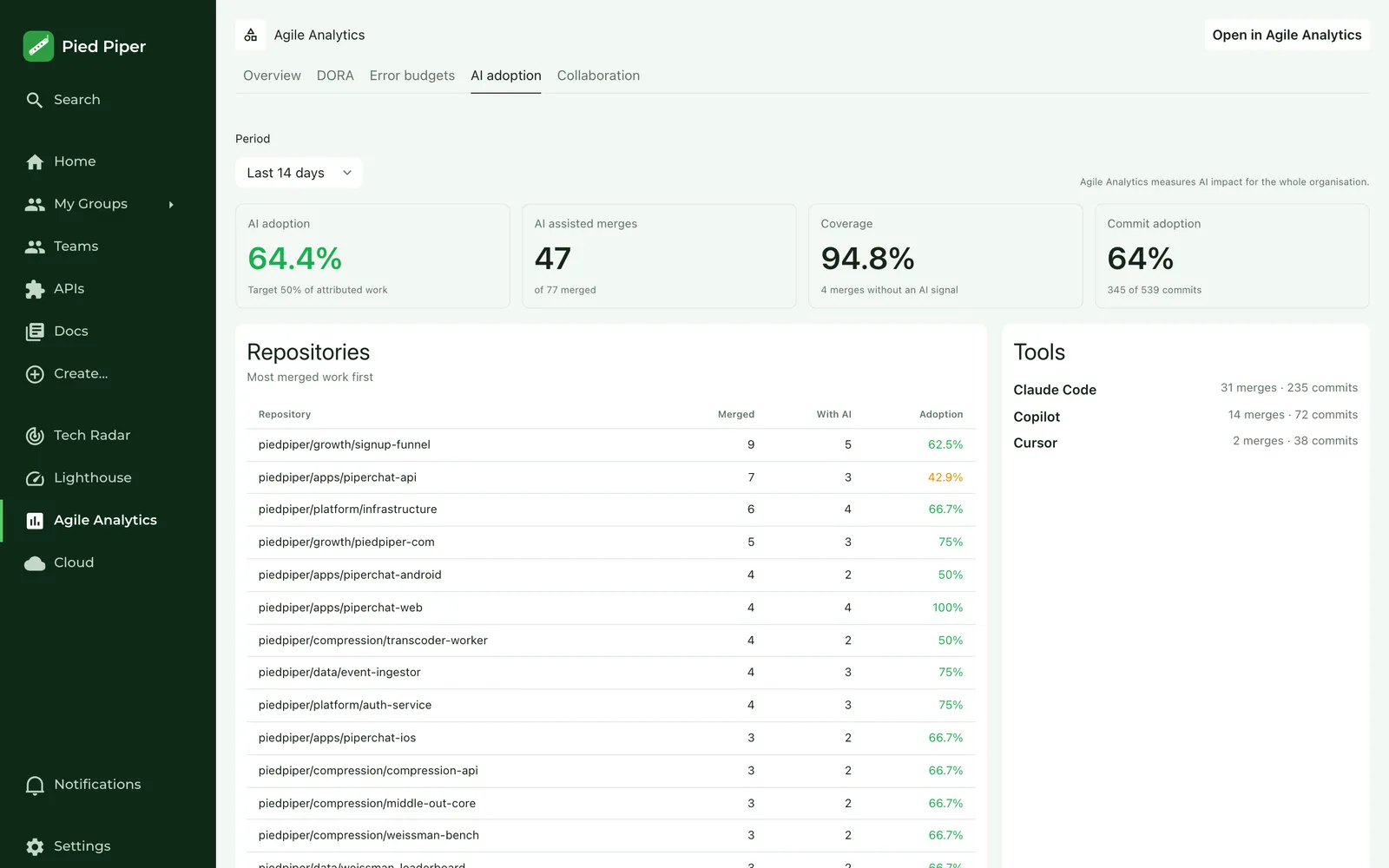
If you also want to see how your teams deliver, the Agile Analytics plugin puts those numbers in Backstage. The details and pricing are on the Agile Analytics site.

  • Engineering health per organisation and team
  • DORA metrics
  • Error budgets per service, on that service’s page
  • AI adoption
Agile Analytics overview in Backstage with engineering health for the whole organisation
DORA metrics in the Agile Analytics plugin for Backstage
Error budget card on the PiperChat API page in Backstage
AI adoption per team in the Agile Analytics plugin for Backstage

Screenshots show sample data.

How ZEN helps

We set it up and keep it current

A portal nobody maintains after go-live turns back into an out-of-date wiki within six months. So we run it for you too.

  1. Set up

    Backstage in your cloud, with your teams in it and the catalogue filled from your repositories.

  2. Connect

    Error reporting, Cloud Run and FinOps wired to your Google Cloud projects, and the Agile Analytics plugin if you want it.

  3. Run and extend

    Backstage updates, new plugins and questions from your teams. Managed service from €950 per month.

Setting up and connecting happen in two-week sprints at a fixed price, from €4,000. After each sprint something is running and you decide on the next one.

Light and dark

In whichever theme your team prefers

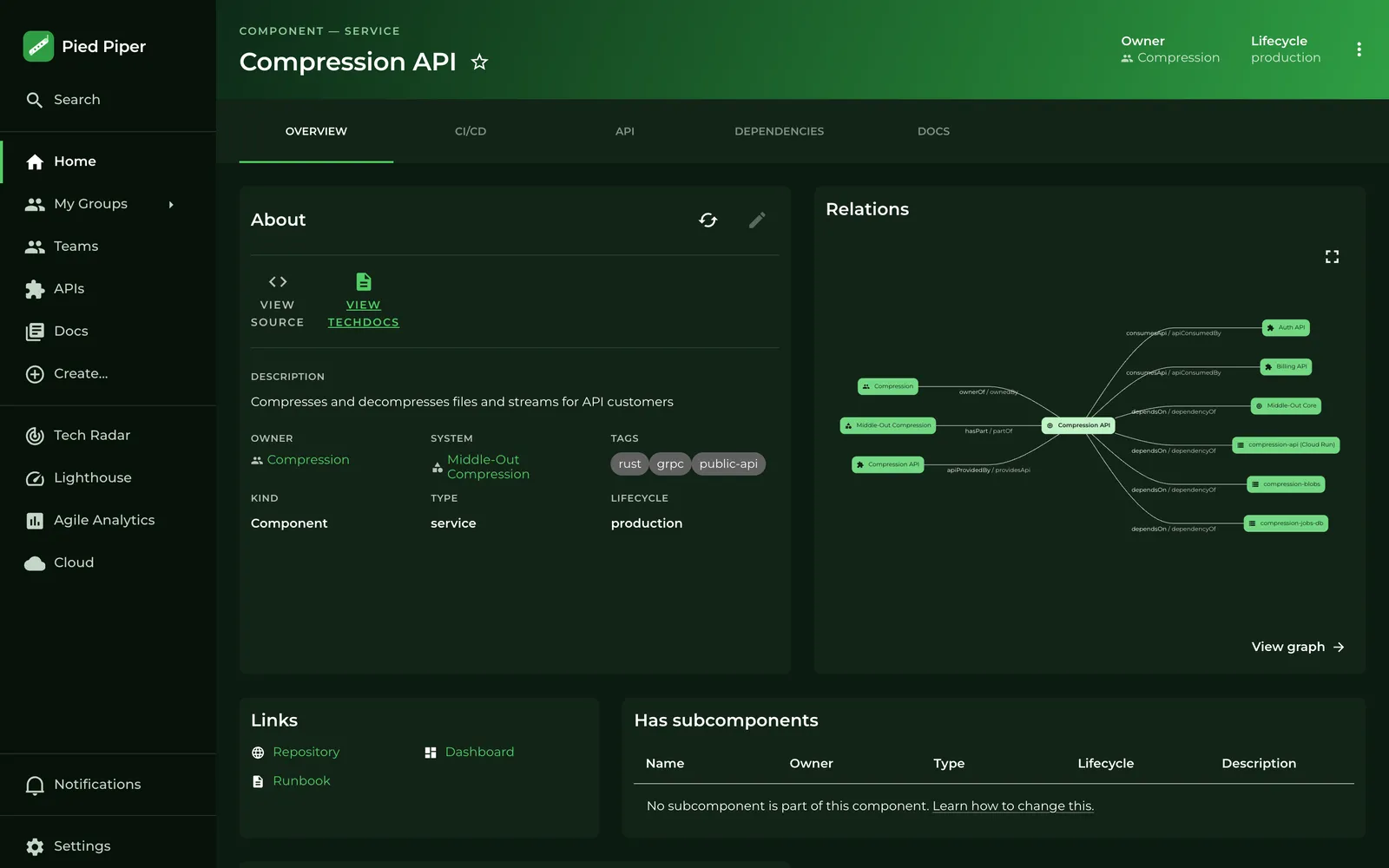
The portal works in both the light and the dark Backstage theme.

A service page in Backstage in the light theme
Light
The same service page in Backstage in the dark theme
Dark

Screenshots show sample data.

See if it fits?

In half an hour we show you the demo and what it takes to fill it with your teams and projects.

Book a call Or call: +31 72 202 93 44